Free and open source / Pre-alpha
Your studio.
No subscription.
Record, write, arrange and mix whole songs, with 44 instruments and effects built in and room for all your plugins. Free today, and free for good.
- Mac · Windows · Linux
- AU · VST3 · CLAP
The Device interface
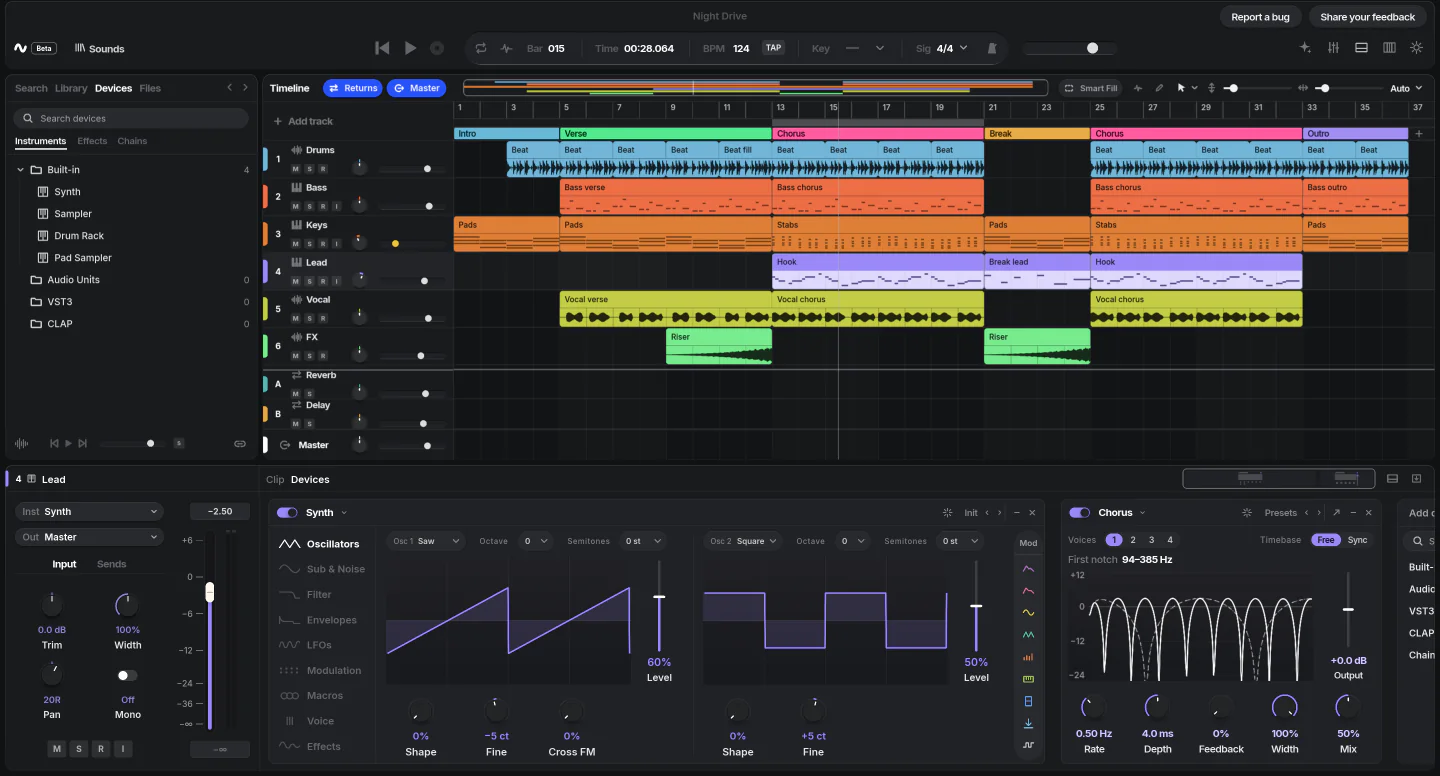
-
Transport. Drag, type or tap in the tempo, and pick the key and time signature.
-
Sections. Name and colour the intro, verse and chorus. Loop or duplicate a whole section at once.
-
A timeline that keeps up. Scrolling and zooming stay smooth, even with thousands of clips.
-
Channel strip. Trim, stereo width, mono, and a send to every reverb or delay return.
-
The Synth. Subtractive and FM sounds, one of four instruments built in.
-
Your plugins. AU, VST3 and CLAP instruments and effects sit beside the built-in ones.
A real song in Device, exactly as the app draws it. Hover or tap the markers
$0
a month, a year or ever. No subscription and no paid upgrades.
44
instruments, effects and modulators, built in
3
systems: Mac, Windows and Linux, with one app on all of them
128
audio tracks play back using about 0.2 % of the time the audio has
Bar 02 Features
From the first idea
to the final file.
Everything you need to get from a loop to a finished track, in seven steps. Every picture is the app as it is today.
-
01
Arrange
Sketch a song in minutes.
Double-click a track to start a clip, or drag samples in from the browser. Move, trim, fade and loop clips, select several at once, and name the sections of your song. Tap in the tempo, set the key, and press W to see the whole song.
-
02
Play
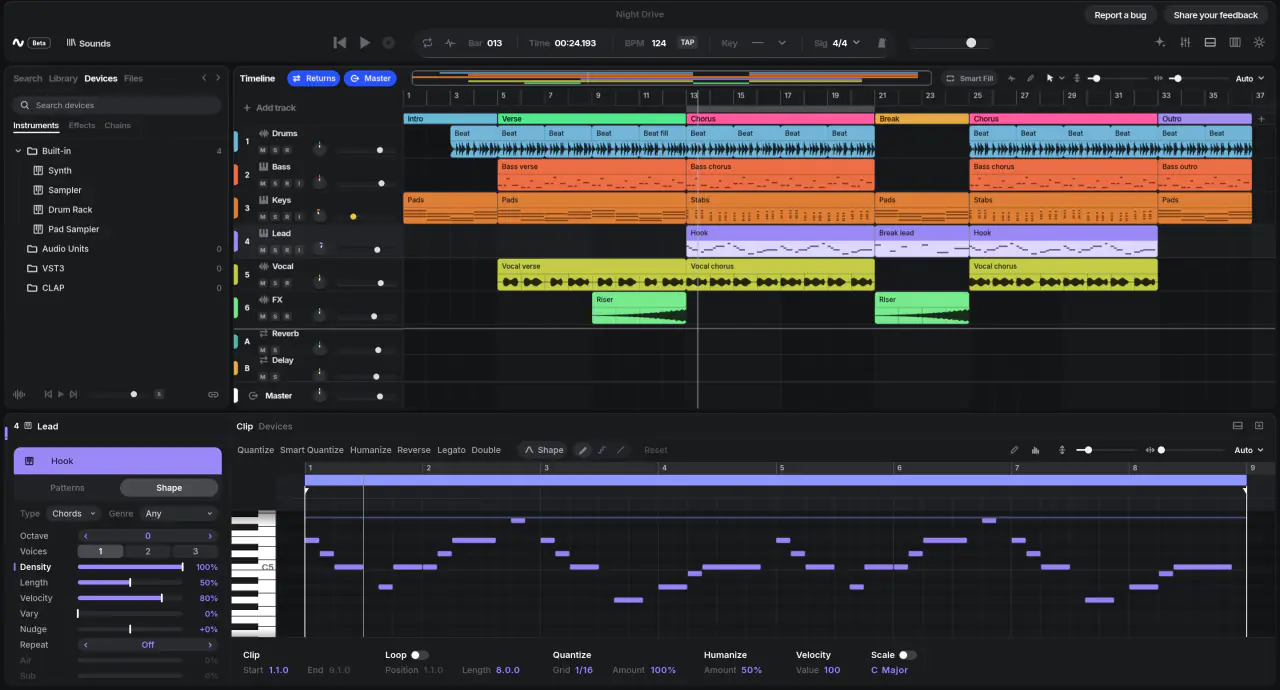
Write parts by hand, or by keyboard.
Draw notes in the piano roll, then quantize, transpose or humanize them, and sweep across the velocity lane to paint in dynamics. Plug in a MIDI keyboard to play any instrument live and record what you play, looped passes included.
-
03
Record
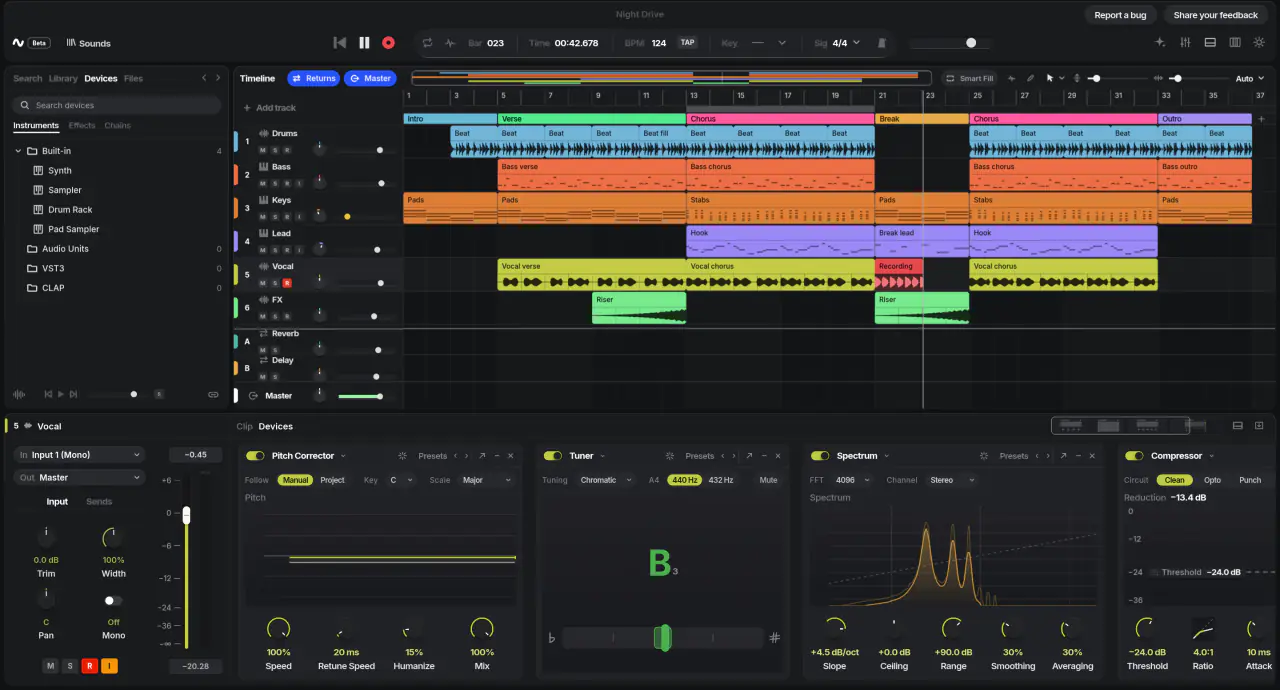
Keep the take you meant.
Count in a bar or two, then record with the loop on: every pass becomes a take. Pick the best one, or comp the best parts together. Device measures your audio interface's delay instead of guessing, so takes land on the beat you played.
-
04
Shape
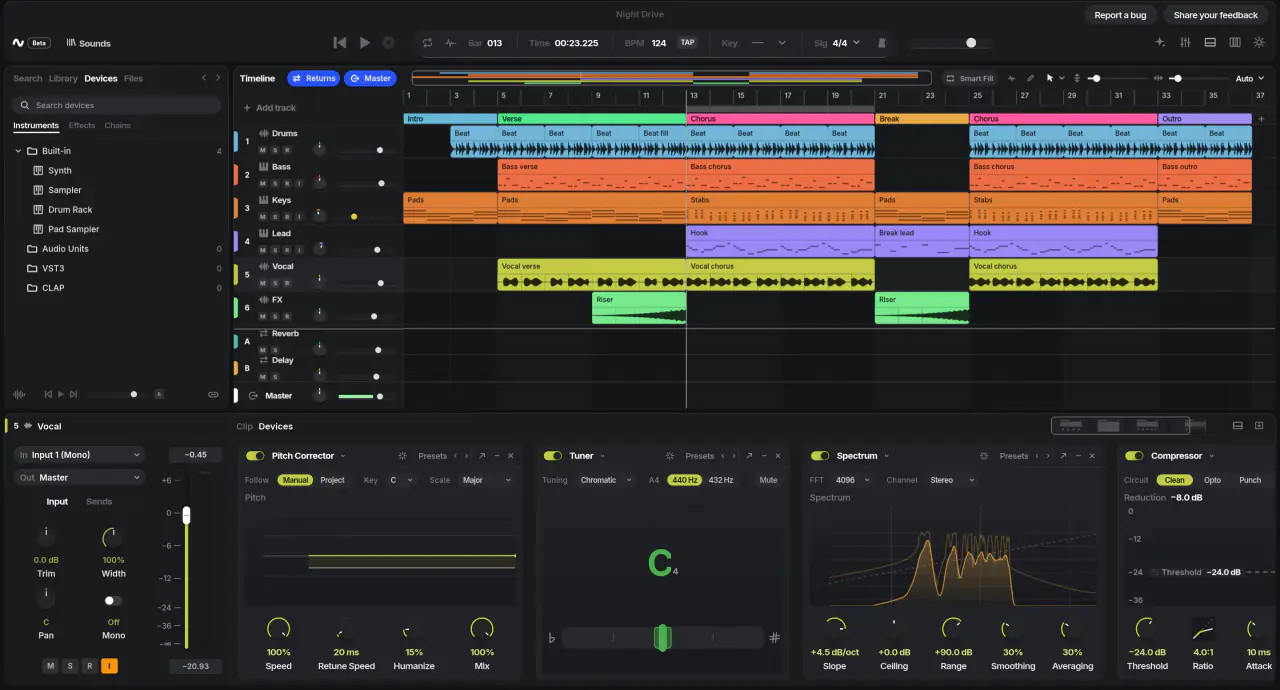
Find the character in a sound.
Start from a synth, sampler, drum rack or pad sampler, or drop a sample on one to play it. Then reach for compression, EQ, saturation, reverb, delay, pitch correction and a tuner, plus tools that clean up noisy recordings.
-
05
Move
Make anything change over time.
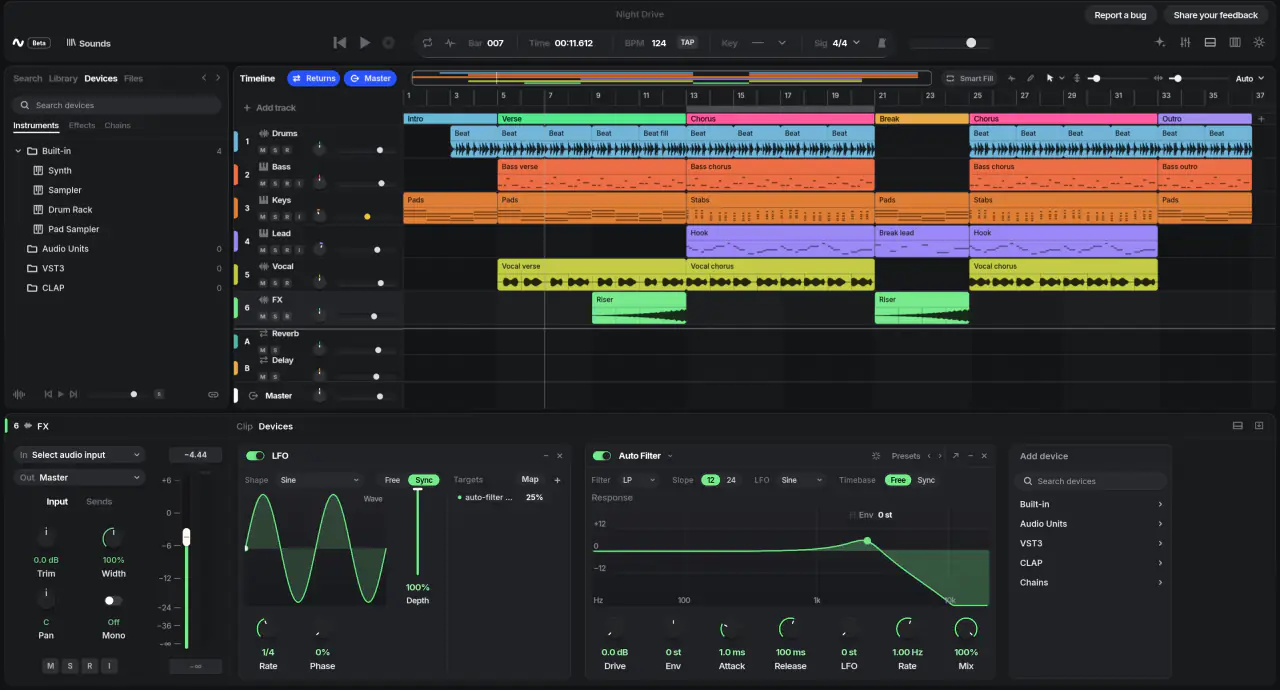
Right-click any knob and choose Automate. Draw points, curves or freehand, or just move the knob while it records. An LFO can wobble any setting, and Chains put a stack of effects under eight macro knobs.
-
06
Mix
Balance it, glue it, give it space.
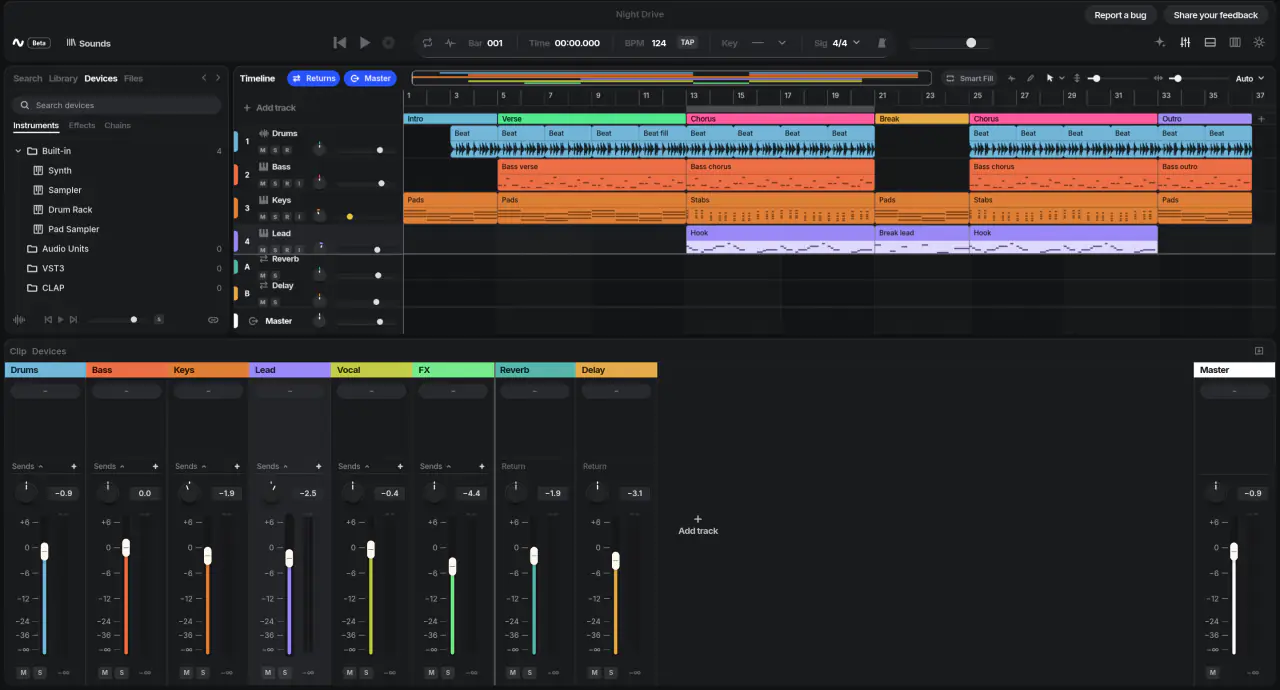
Faders, pan, mute, solo and meters. Group your drums or vocals under one fader with shared effects, and send any track to reverb and delay returns. Plugins that add delay are compensated automatically, so everything stays in time.
-
07
Finish
Bounce it, or take it further.
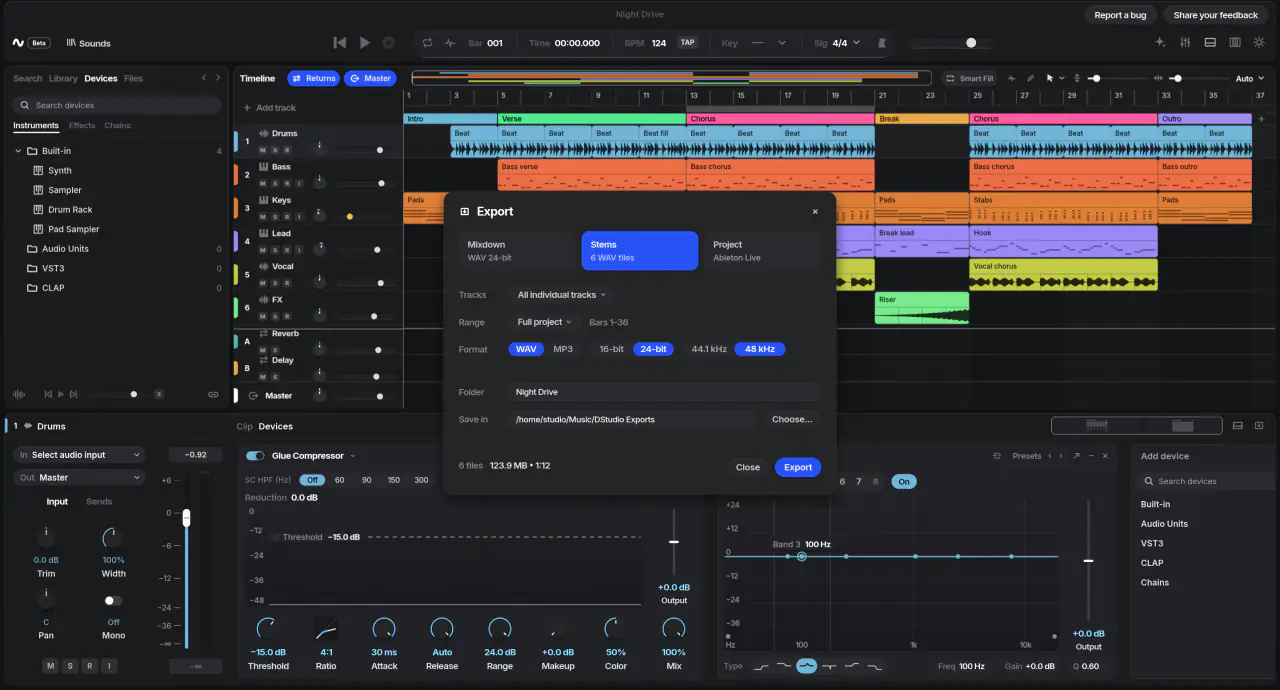
Export the mix, or every track as a stem, as WAV or MP3, or a loop that repeats seamlessly. Bounce a clip with its effects, save MIDI, or carry the whole project into Ableton Live with its returns and sends. And undo covers every edit on the way.
Bar 03 Sounds and tools
44 devices.
All included.
Four instruments and 40 effects and modulators come with Device, with factory presets to start from. No expansion packs and no "pro" edition: every one is in the free version, and every knob on every one can be automated.
- Synth
- Sampler
- Drum Rack
- Pad Sampler
- Compressor
- Character Compressor
- Multiband Compressor
- Glue Compressor
- Limiter
- Mastering Limiter
- Gate
- Transient Shaper
- Utility
- Stereo Widener
- Channel EQ
- Character EQ
- Auto Filter
- Distortion
- Tape Saturation
- Soft Clipper
- Bit Crusher
- Chorus
- Flanger
- Phaser
- Tremolo
- Auto-Panner
- Ring Mod
- Character Mod
- Trance Gate
- Shaper
- Delay
- Echo
- Reverb
- Grains
- De-Noiser
- De-Hummer
- De-Clipper
- De-Esser
- Pitch Shifter
- Pitch Corrector
- Tuner
- Spectrum
- LFO
- Chain
Your plugins, too.
Bring the instruments and effects you already own: Audio Units on Mac, and VST3 and CLAP everywhere. Device checks new plugins in the background, so one that crashes is set aside instead of taking your session down with it. Add your own plugin folders in Settings.
Bar 04 Why Device
Free, and it
stays free.
Most studios ask for a subscription, an upgrade fee or a sign-in. Device asks for nothing. It's open source, so no company can raise the price, lock your songs away or switch it off.
 Your studio, itemised
- Device
- $0
- 4 instruments, 40 effects
- Included
- Plugin support
- Included
- Every future update
- Included
- Account to sign in to
- None
Every month$0
-
Nothing held back.
No lite edition and no locked features. Everything on this page is in the one free version.
-
Any computer.
The same studio on Mac, Windows and Linux, so you can change computers without changing how you work.
-
Never locked in.
Export stems, MIDI or a whole Ableton Live set with its returns and sends. Your music goes wherever you go next.
-
Undo anything.
Every edit, from a nudged note to a deleted track, can be undone. Experiment without worrying.
Bar 05 Performance
Never miss
a beat.
Clicks, pops and dropouts happen when a studio can't fill the next slice of audio in time. Device is built so that never comes close: big sessions use a tiny fraction of the time there is.
Each slice of audio, at 48 kHz
5.3ms
the time Device has before your speakers need it
≈12µs
the time it takes for 128 audio tracks
The sliver at the start of the bar is the work: about 0.2 % of the time available, measured on an Apple silicon Mac with four clips on every track.
-
No stutters.
The audio never waits for the screen, the disk or your edits, so playback keeps going while you work.
-
Plugins stay in time.
Plugins that add delay are compensated on every track, the metronome, recording and export.
-
Takes land on the beat.
A quick test measures your audio interface's delay, so recordings line up with what you heard.
-
It stays fast.
Every change to Device is speed-tested on Mac, Windows and Linux, so updates don't make it slower.
Bar 06 Where things stand
Early.
And moving fast.
Device is pre-alpha. There's no download yet, a few things are still missing and the project format may still change, so keep copies of anything you care about. The status table in the repository is always the latest word.
- Arranging audio and MIDIWorks
- Built-in instrumentsWorks
- Built-in effectsWorksMore are planned
- Mixer, groups and returnsWorks
- AutomationWorks
- Your pluginsWorksLinux plugin windows use X11
- ExportWorksWAV, MP3, stems, MIDI and Ableton Live sets
- Piano roll and MIDIPartlyHearing notes as you click them is to come
- RecordingPartlyA manual latency offset per interface is to come
- Windows and Linux audioPartlyNot yet tried on a real sound card; no ASIO
- DownloadsPartlyThe first release is being prepared
macOS
- Needs
- Apple silicon
- Audio
- Core Audio
- Plugins
- AU, VST3, CLAP
Used and tested on real hardware every day.
Windows
- Needs
- Windows x64
- Audio
- WASAPI (shared)
- Plugins
- VST3, CLAP
Built and tested in CI on every change.
Linux
- Needs
- x64, X11 or Wayland
- Audio
- PipeWire
- Plugins
- VST3, CLAP
Real PipeWire streams run in CI on every change.
Bar 07 Get Device
Be there for
the first release.
Device doesn't have a download yet. Follow the releases page and you'll hear the moment the first version is out for Mac, Windows and Linux. It will be free, like every version after it.
On GitHub, choose Watch › Custom › Releases to be notified.
Can't wait? Build it yourself. If you're comfortable with developer tools, you can run today's version from the source code.
Install Rust 1.90+, CMake 3.25+, Ninja and a C++23 compiler, then run these three lines. The build guide has the details for each system.
git clone https://github.com/devicedaw/device.git
cd device
cargo run --release -p dstudio-app -- --demo
--demo opens a small demo song. Leave it out to
start empty.